
Retail Floor Plan Layouts That Increase Sales
Retail floor plan layouts are one of the highest-leverage decisions a store owner can make, because layout quietly controls traffic flow, dwell time, product discovery, conversion rate, and average ticket—before a single associate says hello.
If customers can’t instantly understand where to go, what you sell, and how to navigate comfortably, they won’t explore long enough to buy. On the other hand, when retail floor plan layouts are built around shopper psychology and operational reality, stores feel “easy,” and easy stores sell more.
Think of your store like a guided experience, not a warehouse. Every step—entry, first turn, browsing rhythm, category transitions, fitting/try-on moments, and checkout—either reduces friction or creates it.
Great retail floor plan layouts use this journey intentionally: they place high-interest categories where customers naturally travel, position profit drivers where they’re most visible, and create decision points that encourage “just one more aisle.”
Importantly, the best retail floor plan layouts are not one-size-fits-all. A high-SKU convenience format wants speed and clarity, while a specialty store may want discovery and storytelling.
Your product margins, replenishment model, shrink risk, and staffing all affect what layout will increase sales. The goal is a store that balances three forces: shopper behavior, merchandising strategy, and compliance/safety.
In this guide, you’ll learn the proven retail floor plan layouts that increase sales, how to choose the right one for your store type, and how to continuously improve it using data—not guesses—while staying aligned with accessibility and life-safety standards.
How Retail Floor Plan Layouts Increase Sales
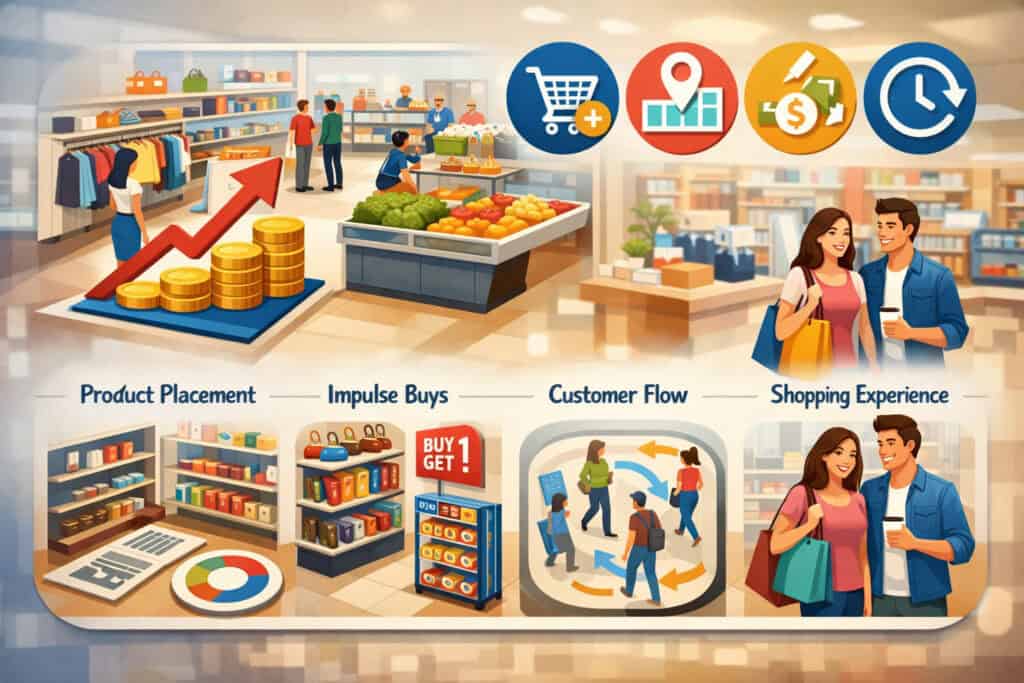
Retail floor plan layouts increase sales by shaping what shoppers notice, where they pause, and how many products they encounter without feeling overwhelmed.
In practical terms, layout influences the four retail KPIs that matter most: conversion rate, average transaction value, units per transaction, and gross margin return on space (often tracked as sales per square foot).
The moment a shopper walks in, your plan either invites exploration or signals confusion. Confusion causes “bounce”—people leave quickly, even if your prices are great.
A sales-driving layout also creates predictable traffic patterns. Predictable traffic makes merchandising easier: you can place seasonal items, bundles, and high-margin products in the path of most customers.
That’s why retail floor plan layouts often start with “magnet zones” (departments that pull people deeper into the store) and “transition zones” (where shoppers reset their attention and are open to new ideas). Layout, in other words, is attention engineering.
Operationally, retail floor plan layouts affect labor efficiency and shrink. A layout that creates blind spots invites theft and forces more staff coverage. A layout that’s too open might reduce display capacity and limit add-on opportunities. The best layout is not the fanciest; it’s the one that makes your store easy to shop and easy to run.
Real-world example: a specialty beauty store might increase basket size by placing travel-size add-ons and tools near the checkout queue, but that only works if the queue is designed to slow shoppers slightly without frustrating them.
Another example: an apparel store often sells more when fitting rooms are placed so shoppers pass complementary categories (belts, socks, accessories) on the way in and out—again, a layout decision that directly increases sales.
The 5 Core Shopper Behaviors Every Layout Must Support

Retail floor plan layouts that increase sales align with how customers naturally behave in physical spaces. You don’t need to manipulate shoppers—you need to remove friction and guide discovery. The five behaviors below show up across store types, from boutique retail to large-format stores.
First, shoppers need instant orientation. Within seconds, customers decide whether a store feels navigable. If your entrance drops them into clutter, they hesitate, and hesitation reduces exploration. Great retail floor plan layouts create a clear “what/where” moment: what you sell, where the main categories are, and what the next step should be.
Second, shoppers follow natural circulation. Many customers subtly drift to the right after entering and prefer wide, obvious paths. This isn’t about forcing a single route; it’s about offering a primary loop and supporting paths so customers don’t feel trapped.
Third, shoppers scan at eye level and hand level. Your “strike zone” is where layout and fixtures must work together: sightlines should reveal focal displays, and product should be reachable without awkward turns.
Fourth, shoppers buy more when they experience relevant adjacency. If the shopper is already in a mindset (e.g., “I’m cooking pasta tonight”), nearby products that complete that mission will sell (sauce, parmesan, garlic bread). Retail floor plan layouts increase sales when they cluster products by mission, not just by vendor or SKU type.
Fifth, shoppers avoid discomfort. Narrow aisles, confusing corners, or congested checkout lines create stress. Stress shortens trips and lowers basket size. A sales-driving store feels spacious even when it’s small—because the layout prevents bottlenecks.
Choosing the Right Layout Type for Your Store Model

Retail floor plan layouts should match your selling model: high-volume essentials, curated discovery, guided storytelling, or service-led shopping. Choosing the wrong layout can quietly cap your sales no matter how good your merchandising is.
If your store relies on speed and routine trips (convenience, dollar-style, hardware basics), customers want predictability. They want to find the same item fast every time.
A structured layout supports repeat purchases and reduces staff interruptions (“Where is…?”). In these formats, retail floor plan layouts increase sales by maximizing shelf capacity while maintaining clear navigation and compliance.
If your store relies on discovery and margin (specialty apparel, gifts, home décor), shoppers are often browsing. They don’t want a rigid warehouse feel.
They want moments of delight: a styled display, a themed zone, a path that reveals new ideas. Here, retail floor plan layouts increase sales by increasing dwell time and creating curated “stories” that drive impulse buys.
If your model is service-led (jewelry with consultations, wireless stores, optical, salons within retail), layout must protect private or semi-private experiences while still showcasing products.
The store becomes a hybrid: part showroom, part service center. In these cases, retail floor plan layouts increase sales by reducing perceived wait time, supporting staff workflow, and making service areas easy to understand.
Finally, consider your constraints: square footage, lease columns, HVAC zones, emergency exits, and storage access. The “perfect” layout on paper fails if replenishment is painful or if staff can’t monitor the floor.
Grid Layout: The High-Efficiency Sales Machine

A grid layout uses straight aisles and parallel fixtures (often gondolas) to create a predictable shopping pattern. Many high-performing retail floor plan layouts for essentials are grid-based because they maximize display capacity and make replenishment straightforward.
For stores with thousands of SKUs, grid layouts can increase sales by ensuring customers encounter more products per trip while staying oriented.
Grid layouts work best when your customers are mission-driven: they come in for specific items and appreciate consistency. Grocery, pharmacies, convenience formats, and parts-heavy specialty stores often benefit from the grid approach.
The key is to avoid turning your store into a maze. The grid should have a clear “main street” aisle that leads customers toward destination categories and then brings them back toward checkout.
To make a grid layout increase sales, focus on three upgrades. First, design endcaps as selling tools, not storage. Endcaps are premium real estate; they should feature seasonal items, bundles, and high-margin products.
Second, build “speed bumps”—small feature tables or displays that slow shoppers at key intersections and trigger impulse buys without blocking traffic. Third, manage sightlines: even in a grid, shoppers should see landmark displays and category signage so they feel in control.
Real-world example: a specialty pet supply store can use a grid to keep food brands easy to locate while using endcaps for treats, grooming tools, and seasonal flea/tick promotions—raising basket size without sacrificing speed.
Loop or Racetrack Layout: Guided Discovery That Drives Basket Size
The loop (often called racetrack) layout creates a primary circulation path that guides customers around the store, exposing them to multiple zones. Many modern retail floor plan layouts that increase sales in specialty retail use a loop because it blends exploration with structure. Customers feel like they’re “seeing everything” without having to decide where to go next.
Loop layouts are powerful for increasing impulse purchases because they create repeated contact with themed displays. They also help new customers understand the store quickly: “If I follow this path, I won’t miss anything.”
Big-box specialty retailers often use this strategy by placing destination categories (magnets) along the loop and using power displays at turning points.
To make a loop layout increase sales, you must keep it comfortable. If the path is too narrow or forces awkward U-turns, shoppers feel controlled and rushed. A good loop gives optional cut-throughs so customers can shortcut without frustration.
It also uses strong wayfinding—category markers, overhead signs, lighting cues, or flooring changes—to keep shoppers confident.
Real-world example: an athletic apparel store can place footwear as a deep-store magnet, then guide customers past socks, accessories, and training gear along the loop. The shopper who came for shoes leaves with a complete kit, because the retail floor plan layout naturally supports cross-selling.
Free-Flow Layout: Boutique Energy That Increases Dwell Time
Free-flow retail floor plan layouts use curved paths, varied fixture heights, and open sightlines to encourage browsing. They’re common in boutiques, beauty, specialty home goods, and gift stores—categories where storytelling and visual merchandising drive sales.
Free-flow layouts increase sales by extending dwell time and creating more moments of discovery, especially for customers who didn’t walk in with a specific list.
The strength of free-flow is emotional: it feels curated, premium, and human. Instead of “aisle shopping,” customers move through product moments—styled vignettes, color stories, trend tables. This can lift conversion because shoppers form a clearer picture of how the product fits into their life.
But free-flow layouts can fail if they become confusing. The fix is to combine freedom with invisible structure. Use a clear “spine” path (a main walkway) and organize the store into zones.
Keep fixture heights lower near the front so shoppers can scan the space, then use taller fixtures deeper in the store where customers are already committed. Also plan for operations: replenishment routes, backroom access, and shrink control (avoid blind corners).
Real-world example: a gift boutique can create a “celebration zone” near the front (cards, wrap, small add-ons), then guide customers into home fragrance and seasonal décor deeper inside. When the layout supports browsing, customers build a bigger basket organically.
Decompression Zone: The Most Profitable 10 Feet in the Store
Retail floor plan layouts often win or lose in the first few steps. The decompression zone is the area just inside the entrance where shoppers adjust to lighting, temperature, and visual information.
If you try to sell too aggressively here—stacked bins, tight displays, confusing signage—customers feel pressured and disoriented. If you underuse it, you waste prime real estate.
The goal of the decompression zone is not to push products; it’s to set the stage for shopping. Keep it open, clean, and easy to understand.
Use a simple statement display (a seasonal feature, hero product, or brand story) and clear directional cues: where the main categories start, where service or checkout is, and what’s new. This is where retail floor plan layouts increase sales indirectly by preventing the early exit that kills conversion.
A strong decompression zone also supports loss prevention. When the entry is open and sightlines are clear, staff can greet customers and observe the floor without feeling like security. That greeting alone often reduces shrink and increases conversion.
Real-world example: a specialty electronics store might use the decompression zone for a “New & Trending” demo table, not a wall of accessories. Shoppers acclimate, touch a featured device, and then move naturally into deeper categories—guided by the layout.
The Power Wall, Sightlines, and “First Right Turn” Strategy
Many retail floor plan layouts increase sales by optimizing what shoppers see first. The “power wall” is typically the wall to the right as customers enter (often a natural turn direction). This area gets high attention and should carry your strongest visual merchandising: best-sellers, new arrivals, or highest-margin items that also represent your brand.
Sightlines matter because shoppers navigate with their eyes before their feet. If customers can see a focal point deeper in the store—a bright display, an attractive feature table, a service counter—they’ll move toward it.
If they see only clutter or tall fixtures blocking the view, they stall. Layout should create a chain of focal points: entrance statement → power wall → mid-store feature → destination category → checkout.
To use sightlines to increase sales, control fixture heights. Keep the front zone lower and airy. Use taller fixtures to frame pathways rather than block them. Place high-interest displays at the end of aisles (endcaps) where they naturally catch attention.
Real-world example: an apparel store can place a mannequin story on the power wall (complete outfit) and then repeat those items along the path in their respective categories. The layout turns inspiration into an easy, trackable purchase journey.
Category Zoning and Adjacency Planning That Boosts Add-On Sales
Retail floor plan layouts increase sales when categories are placed according to how customers actually shop—not how your inventory system is organized. This is adjacency planning: putting products next to the categories that trigger them.
The method is simple but powerful: map your top “missions” (why customers come in) and build zones that support those missions with minimal friction.
For example, if customers buy coffee makers, they often also need filters, mugs, and beans. If customers buy paint, they need brushes, tape, trays, and drop cloths. If customers buy skincare, they may add cotton pads, travel sizes, and tools. The layout should make the add-on path natural, not forced.
A practical way to do this is with an adjacency matrix: list your top categories, then score how often they’re bought together. Place high-correlation categories near each other or along the same path. Use “bridge” displays (small fixtures) to connect zones—like a feature table between denim and footwear for belts and socks.
Zoning also supports staffing and service. High-touch categories (premium items, consultation areas) should be placed where staff can assist without abandoning the rest of the floor. High-shrink items should be within sightlines of checkout or staff stations.
Real-world example: a specialty outdoor store can zone footwear near socks, insoles, and care products, while placing hydration and trail snacks along the path to checkout. The retail floor plan layout does the upselling for you.
Checkout Placement and Queue Design That Converts Impulse Into Revenue
Checkout is not just a payment point—it’s one of the most valuable selling zones in retail floor plan layouts. The placement of checkout affects both customer psychology and operations. If checkout is hard to find, customers feel uncertain and may abandon it. If the checkout is too close to the entrance, it can shorten the shopping journey and reduce basket size.
The highest-performing retail floor plan layouts typically place checkout where it’s visible and accessible but not so dominant that it “ends the trip” early. The queue should be designed to avoid blocking key pathways. A well-designed line feels orderly and fast, even when busy, because customers understand where to stand and where the line flows.
This is also the best place for high-velocity add-ons: items that are cheap, easy to decide on, and relevant across many customers. Think batteries, travel sizes, gum, chargers, small tools, gift cards, and seasonal quick grabs. But avoid clutter. Too many options create decision fatigue and slow the line, which hurts satisfaction and can reduce repeat visits.
Operations matter: ensure staff can see the entrance, monitor high-risk zones, and access bags, receipt paper, and returns without leaving the station. If you run omnichannel pickup/returns, consider a separate service counter so long returns don’t jam the primary checkout.
Accessibility, Safety, and Compliance Requirements That Shape Layout
Retail floor plan layouts must be built around safety and accessibility—not only to reduce risk, but to protect sales. When aisles are too tight, turning space is limited, or routes are blocked by displays, customers leave sooner and are less likely to return. Accessibility standards also reduce legal exposure and improve customer experience for everyone.
For accessibility, a key reference point is the ADA guidance on accessible routes: a continuous clear width of 36 inches minimum, with limited exceptions where it can narrow briefly under specific conditions.
This affects aisle planning, endcap protrusions, and how you place freestanding displays. Checkout counters also need accessible service positions in many stores, so the layout must include an approach route that doesn’t require squeezing through a congested line.
For life safety, retail layouts must respect means of egress (how people exit safely), occupant load planning, and clear exit access. NFPA guidance explains why occupant load and egress capacity are fundamental to safe building design.
Many jurisdictions reference model codes like the International Building Code for egress rules; recent updates continue to clarify egress and accessible egress provisions.
In practical layout terms: don’t block exits with displays, don’t create dead-end aisles without proper turning and exit access, and keep main paths clear during peak season when promotional fixtures multiply.
The sales connection is direct: compliant layouts reduce bottlenecks, improve comfort, and prevent the “crowded store” feeling that kills conversion. If you treat compliance as a design constraint early, you avoid expensive remodels later.
Data-Driven Layout Optimization: Heatmaps, KPIs, and AI
The best retail floor plan layouts are never “done.” They evolve based on performance data. A modern store can measure foot traffic, dwell time, conversion, and category performance—then adjust the layout like a living system. Even small changes, like moving a category endcap or shifting a speed bump display, can lift sales when backed by evidence.
Start with simple KPIs: sales per square foot, gross margin by category, units per transaction, and attachment rate (how often an add-on sells with a core item). Then tie those to layout zones.
If your highest-margin category is stuck in a low-traffic corner, you’ve found a layout opportunity. If a high-traffic zone has low sales, your merchandising presentation may be weak—or the zone may be a transition area that needs a stronger focal display.
Retailers are increasingly using AI and spatial analytics to test and adapt layouts faster. For example, major retailers have discussed using AI-driven tools and digital twins to simulate and optimize store layouts and inventory placement.
Industry coverage of recent retail trade shows also highlights how AI, computer vision, and real-time shopper analytics are becoming more common in-store. The practical takeaway: even if you’re not using enterprise tech, you can apply the same mindset—test, measure, iterate.
Low-cost approach: run A/B tests by rotating a feature table between two zones for two weeks each. Track uplift in unit sales and attachment rate. Your retail floor plan layout becomes a measurable growth lever, not a static drawing.
Omnichannel Zones: Pickup, Returns, and Service Without Killing the Floor
Omnichannel is now part of many stores’ reality: buy online, pick up in store; ship-from-store; easy returns; appointment shopping. Retail floor plan layouts increase sales when these services are integrated without disrupting the core browsing journey.
The biggest mistake is placing pickup or returns in a way that creates congestion at the entrance or hijacks staff attention from selling. The better approach is to create a clearly marked service zone that’s easy to find but positioned so customers still pass merchandising opportunities.
For pickup, consider placing impulse-relevant items nearby (accessories, small consumables, seasonal add-ons). For returns, consider a “re-shop” workflow so returned items don’t pile up and clutter the sales floor.
If your store offers consultations (fittings, demos, styling), build semi-private spaces that feel intentional—good lighting, a small seating area, and nearby merchandising that supports the consultation. The layout should allow staff to move between service and floor coverage efficiently.
Retail floor plan layouts that support omnichannel can actually increase sales beyond the immediate transaction: customers who come in for pickup often buy extra items if the path is frictionless and the add-ons are relevant. That’s why the service journey must be designed like a sales journey, not just a logistics stop.
Future Predictions: Where Retail Floor Plan Layouts Are Headed
Retail floor plan layouts are becoming more flexible, more data-informed, and more experience-driven. A key direction is modularity: fixtures on casters, plug-and-play power for digital displays, and zones that can shift seasonally without a full remodel.
This aligns with broader retail conversations about flexible formats, pop-ups, and experiential retail. The store is turning into a stage that can change themes quickly.
Another trend is “phygital” integration—digital touchpoints that support the physical journey. This can include interactive product discovery screens, smart fitting room experiences, and assisted selling tools that help staff locate inventory quickly. The layout implication is real: stores will reserve space for micro-experiences and demos, not just shelves.
AI-driven personalization is also pushing layouts toward dynamic merchandising. If a store can identify local demand shifts (weather, events, viral trends), it can flex feature zones and endcaps to match what customers want right now. Reporting on retail technology continues to emphasize AI’s growing role in customer flow analysis and operations.
Finally, expect stronger emphasis on comfort and accessibility—wider primary paths, clearer wayfinding, and less clutter—because shoppers increasingly compare the physical experience to the ease of online browsing. The stores that win will feel effortless, intentional, and human, while still being optimized through data.
FAQs
Q.1: What retail floor plan layout increases sales the most?
Answer: The best retail floor plan layout depends on your store model. Grid layouts often increase sales for high-SKU, mission-driven stores by maximizing product exposure and making navigation predictable.
Loop layouts can increase sales for specialty stores by guiding customers through more categories and increasing impulse purchases. Free-flow layouts increase sales in boutique environments by increasing dwell time and supporting storytelling. The highest-performing retailers choose the layout that matches shopper intent, then refine it with data.
Q.2: How wide should aisles be in a retail store?
Answer: Aisle planning must consider comfort, carts/strollers, and accessibility. ADA guidance for accessible routes commonly references a 36-inch minimum continuous clear width, with specific allowances for brief narrowing in limited conditions.
Practically, many stores choose wider main aisles to prevent bottlenecks, especially near checkout, fitting rooms, and feature displays. Wider primary paths also make the store feel less crowded, which can increase dwell time and sales.
Q.3: Where should checkout be placed to increase sales?
Answer: Checkout should be easy to find, visible, and placed to avoid ending the shopping journey too early. Many strong retail floor plan layouts position the checkout toward the front half of the store but not directly at the entrance, keeping the decompression zone open and encouraging shoppers to browse first.
Queue design should prevent traffic jams, and the checkout area should be supported with high-velocity add-ons that don’t overwhelm the shopper.
Q.4: How do I know if my layout is hurting sales?
Answer: Common warning signs include: customers asking for directions constantly, low dwell time, traffic dead zones, frequent congestion, and high bounce rates (people entering and leaving quickly). Use simple observation first—where do people stop, turn around, or avoid?
Then validate with data: sales per square foot by zone, category performance, and attachment rates. Retail floor plan layouts that increase sales usually show balanced traffic and strong conversion across multiple zones, not just one hot spot.
Q.5: How often should I change my retail floor plan layout?
Answer: Major layout changes (moving departments, relocating checkout) are typically annual or tied to remodel cycles, but merchandising-level adjustments should be frequent. Feature tables, endcaps, and promotional zones can rotate weekly or monthly based on seasonality and performance.
The best approach is controlled testing: change one variable at a time and measure the result. This keeps your retail floor plan layout stable enough for repeat shoppers while still improving over time.
Conclusion
Retail floor plan layouts that increase sales are built on a simple promise: make shopping feel effortless while increasing relevant product discovery.
The most profitable stores aren’t necessarily the biggest or most beautifully designed—they’re the ones where customers instantly understand the space, naturally flow through high-value zones, and encounter the right products at the right time.
Start by matching your layout type to your selling model: grid for efficiency, loop for guided discovery, and free-flow for curated storytelling. Then strengthen the details that drive results: decompression zone discipline, power wall strategy, smart category adjacencies, and a checkout/queue design that converts impulse without creating stress.
Protect the plan with accessibility and life-safety fundamentals, using standards like ADA route guidance and recognized life-safety principles as non-negotiable constraints.
Finally, treat layout as a living system. Measure traffic and sales by zone, test changes methodically, and lean into modern tools—analytics, heatmaps, and emerging AI-driven optimization—to keep improving.
When retail floor plan layouts are designed with both psychology and operations in mind, they don’t just look good—they consistently increase sales.